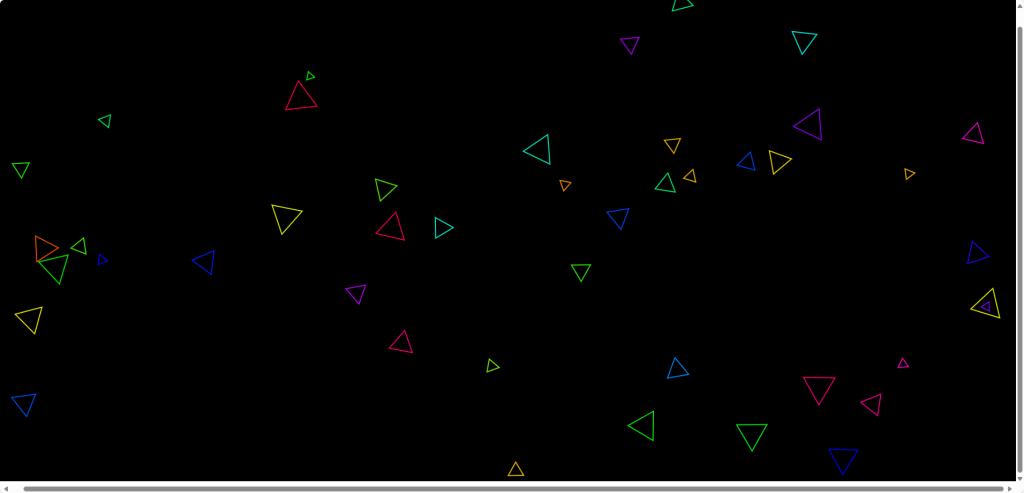
上一节写了:JS程序1:写一个炫酷的【粒子动画】,这一次写入对鼠标点击事件的效果,单击即可生成小三角形并向四周随机扩散:
源代码(保存至本地即可):
<!DOCTYPE html>
<html lang="en">
<head>
<meta charset="UTF-8">
<title>旋转移动的彩色三角形</title>
<style>
  canvas {
    display: block;
    margin: 0 auto;
    background-color: #000;
  }
</style>
</head>
<body>
<canvas id="canvas"></canvas>
<script>
// 获取canvas元素和绘图上下文
const canvas = document.getElementById('canvas');
const ctx = canvas.getContext('2d');
canvas.width = window.innerWidth;
canvas.height = window.innerHeight;

// 三角形类
class Triangle {
  constructor(x, y, size, color, rotationSpeed, xSpeed, ySpeed) {
    this.x = x;
    this.y = y;
    this.size = size;
    this.color = color;
    this.rotation = 0;
    this.rotationSpeed = rotationSpeed;
    this.xSpeed = xSpeed;
    this.ySpeed = ySpeed;
  }

  draw() {
    ctx.save();
    ctx.translate(this.x, this.y);
    ctx.rotate((Math.PI / 180) * this.rotation);
    ctx.beginPath();
    ctx.moveTo(0, -this.size);
    ctx.lineTo(this.size * Math.sqrt(3) / 2, this.size / 2);
    ctx.lineTo(-this.size * Math.sqrt(3) / 2, this.size / 2);
    ctx.closePath();
    ctx.strokeStyle = this.color;
    ctx.lineWidth = 2;
    ctx.stroke();
    ctx.restore();
    this.rotation += this.rotationSpeed;
  }

  update() {
    this.x += this.xSpeed;
    this.y += this.ySpeed;
    // 边界检测
    if (this.x + this.size > canvas.width || this.x - this.size < 0) {
      this.xSpeed *= -1;
    }
    if (this.y + this.size > canvas.height || this.y - this.size < 0) {
      this.ySpeed *= -1;
    }
  }
}

// 存储三角形实例的数组
const triangles = [];

// 动画函数
function animate() {
  requestAnimationFrame(animate);
  ctx.clearRect(0, 0, canvas.width, canvas.height);
  triangles.forEach(triangle => {
    triangle.update();
    triangle.draw();
  });
}

// 添加新三角形
function addTriangle(e) {
  const size = Math.random() * 30 + 10;
  const color = `hsl(${Math.random() * 360}, 100%, 50%)`;
  const rotationSpeed = (Math.random() - 0.5) * 5;
  const xSpeed = (Math.random() - 0.5) * 5;
  const ySpeed = (Math.random() - 0.5) * 5;
  const triangle = new Triangle(e.clientX, e.clientY, size, color, rotationSpeed, xSpeed, ySpeed);
  triangles.push(triangle);
}

// 监听鼠标点击事件
canvas.addEventListener('click', addTriangle);

// 开始动画
animate();

</script>
</body>
</html>
在下面点击鼠标试试吧
实现效果: